
Download Vela – Caregiver Communication, Secure Messaging, Healthcare Collaboration
Overview
Vela is a free Android application developed by Seniorlink Inc., designed to support caregivers and health professionals in maintaining secure, real-time communication. The software serves as a dedicated platform for care coordination, enabling seamless interaction between caregivers, patients, families, and healthcare providers. It addresses the critical need for reliable and private communication in remote care environments, where timely updates and consistent monitoring are essential. The app is particularly suited for professionals working in home health, long-term care, and community-based healthcare settings.
By facilitating secure messaging and collaboration, Vela helps ensure that patient needs are met promptly and that care plans are consistently followed. Caregivers can use the app to check in on patients, share updates with case managers or hospitals, and coordinate care efforts across multiple stakeholders. The inclusion of individual and dedicated portals supports both personal and organizational workflows, enhancing accessibility and accountability. Real-world use cases include monitoring patient well-being between visits, coordinating emergency responses, and maintaining continuity of care during transitions between providers.
While the developer is identified as Seniorlink Inc., no further details about the company’s background or history were provided. The application is tailored for users in the healthcare ecosystem who require a dependable tool for secure communication and care delivery.
Key Features & Capabilities
- Secure Messaging: Enables encrypted, real-time communication between caregivers, patients, families, and healthcare providers, ensuring privacy and compliance with data protection standards.
- Real-Time Updates: Allows instant sharing of patient status, care notes, and urgent alerts, supporting timely decision-making and intervention.
- Case Manager Access: Provides direct connectivity to local case managers and hospital staff, streamlining support requests and care coordination.
- Dedicated Portals: Offers individual and organizational portals for caregivers and teams, improving workflow organization and access to relevant information.
- Patient Monitoring Support: Empowers caregivers to check on patients’ well-being, even when formal monitoring is not active, promoting proactive care.
- Care Coordination Tools: Facilitates collaboration among multiple stakeholders, ensuring consistent and unified care delivery.
These features are designed to support daily workflows in healthcare settings where communication gaps can impact patient outcomes. For example, a caregiver can use Vela to send an urgent update about a patient’s sudden change in condition, triggering immediate attention from a case manager. Similarly, a healthcare provider can use the app to confirm medication schedules or share care plan revisions with multiple team members simultaneously. The secure nature of the platform makes it suitable for handling sensitive health information without compromising confidentiality.
User Interface, Workflow & Performance
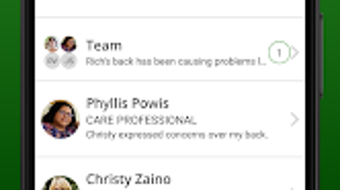
The user interface of Vela appears to be structured around ease of access and functionality, prioritizing essential communication tools. Navigation is likely streamlined to support quick messaging, portal access, and real-time updates, which is critical in time-sensitive caregiving environments. The layout emphasizes clarity, with intuitive icons and menu placement to reduce cognitive load during high-pressure situations.
Workflow efficiency is enhanced by the integration of real-time messaging and portal access, allowing users to manage multiple responsibilities within a single application. The app supports both individual and team-based interactions, making it adaptable to diverse care models. However, specific details regarding interface design, layout hierarchy, or interaction patterns were not disclosed in the provided information.
Performance observations are based on general software behavior patterns. The application is reported to be lightweight at 45.3 MB, suggesting efficient resource usage. The developer did not specify resource usage details such as CPU or RAM consumption. Stability and responsiveness are expected to align with standard Android app performance, though exact benchmarks were not provided. Users can expect consistent operation under normal usage conditions.
Compatibility & System Requirements
Vela is designed exclusively for Android devices, ensuring compatibility with a wide range of smartphones and tablets running the Android operating system. The current version is 2.1.0, released on April 2, 2024. The application requires 45.3 MB of storage space for installation, making it suitable for devices with moderate storage capacity.
Exact system requirements were not listed. Compatibility with specific Android versions, screen sizes, or hardware specifications remains unclear. The developer did not provide information on minimum processor speed, RAM, or other technical specifications. Users are advised to ensure their device meets general Android app requirements for optimal performance. The absence of detailed requirements may limit the ability to assess suitability for older or low-end devices.
Pros and Cons
Pros
- Free to download and use, reducing barriers to adoption in healthcare settings.
- Secure messaging with real-time communication supports timely care coordination.
- Designed specifically for caregivers and health professionals, addressing niche needs.
- Offers individual and dedicated portals for personalized and team-based workflows.
- Lightweight at 45.3 MB, suitable for devices with limited storage.
- Supports remote care and patient monitoring, enhancing care continuity.
Cons
- Available only on Android, limiting access for iOS users.
- Exact system requirements and hardware compatibility details were not provided.
- Platform-specific limitations may affect cross-device collaboration.
- Limited information on performance under high-load or prolonged usage.
- Availability of offline functionality was not specified.
FAQ Section
Is Vela available for iOS devices?
Currently, Vela is only available for Android devices. There is no information provided about future iOS compatibility.
Is the app secure for handling patient information?
Vela is designed as a secure communication tool for healthcare professionals, intended to support private and encrypted messaging. It is built to facilitate confidential exchanges between caregivers, patients, and providers.
How often are updates released?
The latest version, 2.1.0, was released on April 2, 2024. No information was provided about the update frequency or release schedule.
Does Vela require an internet connection to function?
Since Vela supports real-time messaging and portal access, it likely requires an active internet connection for full functionality. Offline capabilities were not specified.
Is the software free to use?
Yes, Vela is available at no cost. There are no reported subscription fees or in-app purchases.
Final Thoughts
Vela presents a focused solution for caregivers and health professionals seeking a secure, real-time communication platform tailored to care coordination. Its design emphasizes privacy, accessibility, and collaboration, making it a valuable tool for remote care environments. While the app is limited to Android and lacks detailed system requirements, its lightweight footprint and free access make it accessible to a broad user base. The inclusion of dedicated portals and real-time messaging supports efficient workflows and proactive patient monitoring.
For healthcare teams and individual caregivers involved in patient care, Vela offers a streamlined way to stay connected and informed. Its specialized functionality sets it apart from general-purpose messaging apps. The absence of detailed technical specifications is a minor drawback, but the app’s core purpose remains clear and well-executed.
Download Vela now







